
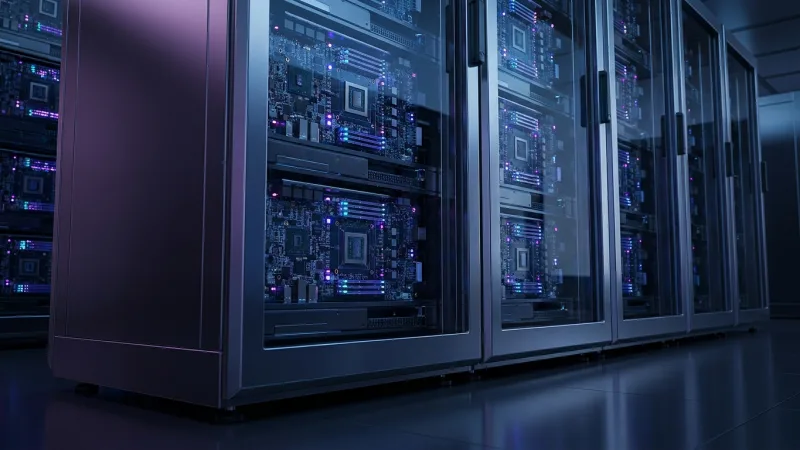
Organizations waste an average of 40% of their GPU cloud budget due to poor capacity planning. Imagine reallocating those funds into more strategic areas of your AI strategy. In this guide, you’ll gain a deep understanding of GPU cloud computing, learn a 5-step framework for capacity planning, and discover cost improvement strategies to ensure that every dollar spent on GPU resources maximizes your AI project’s outcomes. We’ll also cover the latest trends in GPU technology and answer pressing questions about AI workloads.
GPU Cloud Computing Fundamentals: Architecture and Performance Drivers
GPU cloud computing differs significantly from traditional CPU cloud computing, particularly for AI workloads. GPUs excel in parallelization, a single GPU can perform thousands of tasks simultaneously, whereas CPUs handle processes sequentially. This parallel capability makes GPUs ideal for machine learning and deep learning tasks.
Memory Bandwidth Impact on AI Workloads
Memory bandwidth is a critical factor in GPU performance. High memory bandwidth allows GPUs to feed data to their cores more efficiently, reducing bottlenecks and improving overall speed. For example, NVIDIA A100 GPUs offer up to 1.6 TB/s bandwidth, improving their performance for AI model training.
Tensor Core usage Rates
Tensor cores are specialized processing units within GPUs designed for matrix operations, which are common in AI computations. Using tensor cores can drastically increase the throughput of operations, such as those found in neural network training.
Network Topology Requirements
Network topology also plays a crucial role. Efficient data transfer between distributed GPUs across a cloud infrastructure minimizes latency and maximizes compute performance. A well-designed network ensures that the full power of GPU clusters is effectively used.
The table below provides a performance comparison between GPUs and CPUs for common AI tasks:
|
Task |
GPU |
CPU |
|
Image Processing |
Up to 10x faster |
Baseline performance |
|
Neural Network Training |
Up to 50x faster |
Significantly slower |
|
Data Analytics |
2-3x faster |
Standard speed |
The AI Workload Capacity Planning Framework: Training vs Inference Requirements
The capacity requirements for AI workloads differ drastically between training and inference phases. Proper planning is critical to avoid over or under-provisioning your GPU resources.
Training Capacity Calculation Formula
Training requires significant resources but is typically a one-time or infrequent operation. Calculate GPU needs based on your model’s complexity, dataset size, and desired training speed. For example, training a language model may require several A100 GPUs, while a vision model could suffice with fewer resources.
Inference Throughput Requirements
Inference is often run in real-time and at scale. Determine capacity by assessing the average number of queries per second (QPS) your application needs to process. Batch size improvement can reduce GPU load during inference, especially in high-demand scenarios.
Memory Requirements by Model Size
Understanding memory requirements is vital. Large language models (LLMs) such as GPT can demand several GBs of GPU memory, whereas smaller models, like those used in image classification, might need less. Plan accordingly based on your specific use case.
Here is a GPU memory requirements table to guide you:
|
Model Type |
Typical GPU Memory |
|
Large Language Models |
24 GB to 48 GB |
|
Vision Models |
8 GB to 16 GB |
|
Speech Recognition |
12 GB to 24 GB |
For precise planning, use this step-by-step capacity planning worksheet:
- Identify model type and size.
- Estimate dataset size and complexity.
- Determine desired training speed or inference QPS.
- Calculate total GPU memory and processing requirements.
- Select appropriate GPU instances based on calculations.
GPU Instance Types Decoded: Matching Hardware to AI Use Cases
Choosing the right GPU instance is crucial. Each type serves different workloads better, and understanding these can save costs and improve performance.
A100 vs H100 Performance Benchmarks
The A100 offers exceptional performance for both training and inference due to its large memory and high tensor core count. In contrast, the H100, while newer, focuses more on efficiency and specific use cases like deep learning model training.
V100 Cost-Effectiveness Scenarios
The V100 is a cost-effective choice for smaller operations and can be preferable for projects with limited budgets. It’s often used for training smaller models or performing inference on medium workloads effectively.
T4 Inference improvement
The T4 instance is improved for inference and batch processing, making it ideal for flexible AI applications. Its lower cost compared to other high-end GPUs makes it a popular choice for businesses scaling their AI workloads efficiently.
Use this performance-per-dollar comparison table to identify the right GPU for your project:
|
Instance Type |
Performance (GFLOPS) |
Cost (USD/hour) |
Performance-per-Dollar |
|
A100 |
9,750 |
$3.06 |
3,187 GFLOPS/USD |
|
V100 |
7,800 |
$2.48 |
3,145 GFLOPS/USD |
|
T4 |
2,560 |
$0.35 |
7,314 GFLOPS/USD |
Cost improvement Strategies: Reserved vs On-Demand vs Spot Instances
Managing costs effectively requires understanding the different pricing models offered by cloud providers.
Reserved Instance ROI Calculations
Reserved instances provide cost savings for predictable, long-term workloads. Calculate ROI by comparing upfront costs to on-demand pricing over the same period.
Spot Instance Reliability for Training
Spot instances can offer up to 90% savings, but their availability is less predictable. They’re best suited for non-time-sensitive training workloads where interruption is acceptable.
Auto-Scaling Cost Impact
Auto-scaling allows you to manage resource availability dynamically, but it can also increase costs if not monitored carefully. Balance resource allocation with demand to avoid unnecessary expenses.
Here’s a decision matrix to help you choose the best pricing strategy:
|
Strategy |
Best Use Case |
Potential Cost Savings |
|
Reserved Instances |
Predictable workloads |
Up to 75% |
|
On-Demand Instances |
Short-term, burst workloads |
None |
|
Spot Instances |
Flexible training tasks |
Up to 90% |
Cloud Provider Comparison: AWS vs Azure vs GCP for AI Workloads
Choosing the right cloud provider is crucial for maximizing the performance and cost-effectiveness of your GPU cloud computing.
AI-Specific Service systems
Each provider offers unique AI services. AWS, for instance, provides complete AI tools like Amazon SageMaker, while Azure has strong integration with Microsoft’s software suite. GCP boasts powerful machine learning APIs.
Regional GPU Availability
The geographic availability of GPU resources can affect latency and redundancy. AWS generally offers the broadest regional support, while Azure and GCP have specialized zones for high-demand areas.
Integration with ML Platforms
Consider which platforms integrate smoothly with your existing infrastructure. AWS, Azure, and GCP all support popular ML and data science tools, but the depth and ease of integration can vary.
The following table compares AI-specific metrics across the three providers:
|
Provider |
AI Tooling |
GPU Types Available |
Regions |
|
AWS |
SageMaker, Deep Learning AMIs |
T4, V100, A100 |
24 |
|
Azure |
Machine Learning Studio, Cognitive Services |
P100, V100, A100 |
17 |
|
GCP |
AI Platform, TensorFlow Enterprise |
K80, T4, V100 |
18 |
Performance Monitoring and Scaling: improving GPU usage
Post-deployment improvement is critical for sustaining performance and cost-efficiency in GPU cloud computing.
GPU usage Monitoring Metrics
Use metrics like GPU usage percentage and memory usage to identify and resolve bottlenecks. Tools like NVIDIA’s nvidia-smi provide real-time insights into GPU performance.
Auto-Scaling Triggers for AI Workloads
Establish clear scaling policies based on workload demand to maintain efficient resource usage. Cloud-native tools can automate scaling, but ensure they align with your operational goals.
Performance Bottleneck Identification
Identify bottlenecks by monitoring throughput and latency metrics. Address these by adjusting your resource allocation or modifying your workload configuration.
For more guidance, see our GPU monitoring dashboard setup guide:
- Install monitoring tools on your cloud instances.
- Configure alerts for key performance metrics.
- Integrate dashboard with your cloud provider’s monitoring service.
- Regularly review performance data and adjust resources as needed.
Future-Proofing Your GPU Cloud Strategy: Emerging Trends and Technologies
Staying ahead in the fast-evolving field of GPU cloud computing ensures your AI projects remain competitive.
Next-Generation GPU Roadmaps
Upcoming GPU technologies promise increased power and efficiency. Companies like NVIDIA and AMD are expected to release GPUs with improved AI capabilities within the next few years.
Quantum-Classical Hybrid Computing
Hybrid computing approaches that combine classical and quantum computing are on the horizon. These advances could further improve AI workloads by reducing training times and increasing model accuracy.
Edge AI Deployment Considerations
As computing moves closer to the data source, deploying AI at the edge can reduce latency and improve performance. Plan your strategy to incorporate edge devices where relevant.
Here’s a technology roadmap timeline to guide your long-term planning:
- 2024: Introduction of new GPU architectures with increased efficiency.
- 2025: Growth in quantum AI integration for complex computations.
- 2026: Expansion of edge AI capabilities across industries.
Frequently Asked Questions
What is GPU cloud computing?
GPU cloud computing involves using Graphics Processing Units in the cloud to handle compute-intensive tasks like AI and machine learning. These units excel at parallel processing, making them ideal for training complex models.
How should enterprises compare GPU cloud options for AI workloads?
Enterprises should evaluate GPU cloud options based on performance metrics, regional availability, and integration with AI tools. Comparing costs and scalability options of providers like AWS, Azure, and GCP is also crucial.
What’s the difference between training and inference GPU requirements?
Training requires more compute and memory resources due to data complexity, while inference focuses on speed and efficiency for real-time applications. Allocating resources accordingly can reduce costs and improve performance.
How do I calculate the right GPU capacity for my AI project?
Assess your model type, dataset size, and target performance metrics. Use capacity planning worksheets to estimate the necessary GPU memory and compute power, ensuring alignment with your project goals.
What are emerging trends in GPU cloud computing?
Emerging trends include next-gen GPUs with AI improvements, quantum-computing integrations, and increased edge AI deployments. Keeping abreast of these developments can help future-proof your cloud strategy.
To make the most of your GPU cloud computing investments, start applying the capacity planning framework today. For more insights into cloud strategies, browse our Cloud Migration Strategy Roadmap and look into modern developments at Valasys AITech.